
If you need to meet someone at an airport, station, event venue, or busy public place, using your phone as a pickup sign is one of the easiest ways to make yourself easier to spot. Instead of printing a sign or typing a name in Notes, you can turn your screen into a bright readable message that stands out better in a crowd.
That is exactly the kind of problem LED Scroll Display solves well. You can type a short name or message, make it easy to read, and show it fullscreen in seconds, which is much more practical than improvising with a plain text screen.
If you only want the short answer, this is the best workflow: type a short pickup message, increase the text size, use high contrast, and show it fullscreen. That alone is enough to make your phone work like a useful pickup sign.
When a phone pickup sign is better than a paper sign
A paper sign still works, but a phone is often more convenient when:
- you need to change the name quickly
- you are traveling light
- you are waiting in a crowded arrivals area
- the lighting is poor
- you want the message to be easier to notice
The biggest advantage is flexibility. If plans change, you can update the message immediately without rewriting or printing anything.
What makes a good pickup sign on a phone?
A useful pickup sign is not just visible. It is readable fast.
The best ones are:
- short
- high contrast
- large enough to read from a distance
- simple enough to understand in one glance
That is why pickup signs work better with a dedicated scrolling text app than with a standard note or chat screen.
The best pickup sign format
Most pickup signs work best when they follow one of a few simple formats. The goal is to remove guessing, not to write a clever sentence.
Use these formats when you are not sure what to show:
| Situation | Best format | Example |
|---|---|---|
| Personal pickup | first name only | MARTA |
| Family arrival | welcome plus name | WELCOME JAMES |
| Driver pickup | pickup plus name | PICKUP FOR EMMA |
| Business guest | company or guest label | RADAPPSLAB GUEST |
| Busy exit | name plus meeting point | LUCIA - EXIT B |
For most real arrivals, the strongest version is the shortest version that still identifies the right person. If a traveler is tired, carrying luggage, or scanning a crowd, a big name beats a clever message.
How to make a pickup sign on your phone
The most practical setup only takes a minute.
1. Open a scrolling text app
Start with an app designed for visible messages. A standard notes app can show text, but it usually feels small, static, and less noticeable in a busy arrival area.
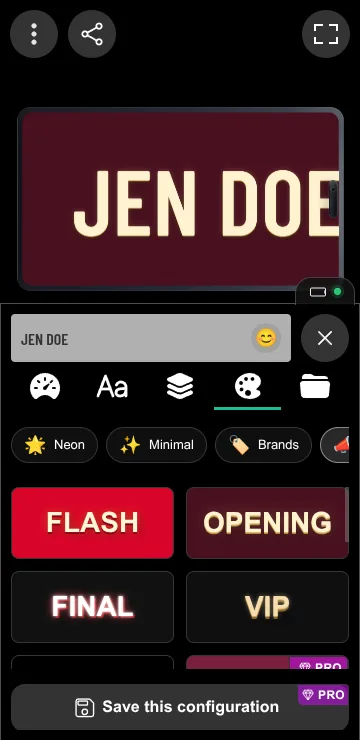
LED Scroll Display is built for exactly this kind of quick-use situation. It helps you turn a normal phone into a readable mini sign with fullscreen output, speed control, and visual settings that are easy to adjust on the spot.
2. Type the name or short message
Keep the message short enough to read immediately.
Good examples:
MARTAWELCOME JAMESPICKUP FOR EMMATAXI FOR DAVIDLUCIA - EXIT B
Avoid long explanations. In a pickup situation, clarity matters more than detail.
3. Make the text large and obvious
Before you think about style, make the sign readable.
For a pickup sign, prioritize:
- large text size
- bright text on a dark background
- slow enough movement to read in one pass
- strong contrast
- simple wording
4. Turn on fullscreen mode
Fullscreen mode is where the phone starts to work like a real pickup sign instead of just a phone with text on it.
This matters because:
- the message uses more of the screen
- interface clutter disappears
- the name is easier to spot from farther away
In a busy airport or station, that difference is more important than people expect.
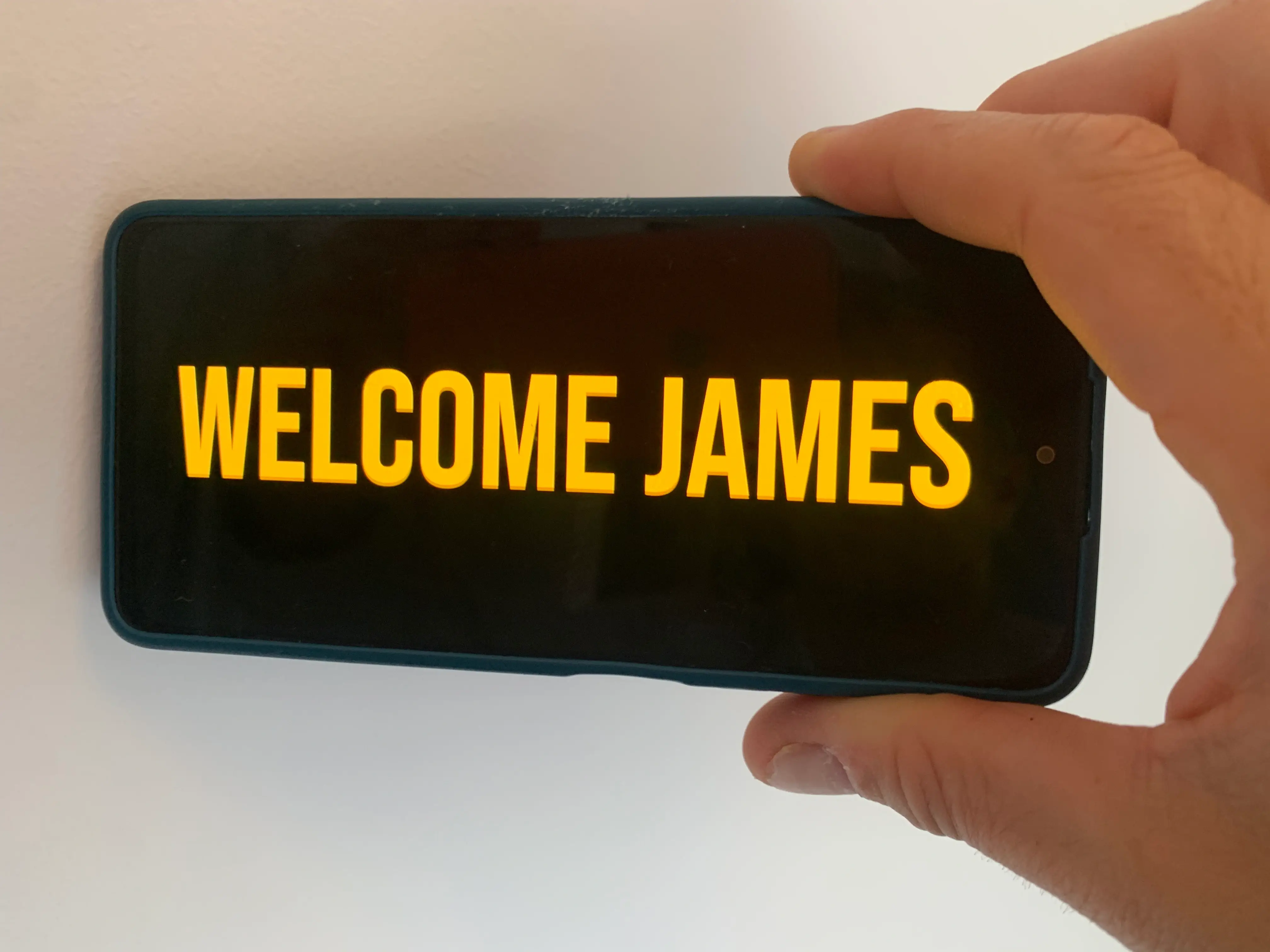
5. Test it from a realistic distance
Before the person arrives, hold the phone farther away and check the result. You want the message to be readable in one quick look.
If it feels even slightly hard to read, change one of these first:
- make the text bigger
- shorten the wording
- slow the speed down
- increase contrast
Best pickup sign settings for airports and stations
Different pickup situations need slightly different setups, but the safest defaults are consistent.
For airports
- large text
- slow movement
- very high contrast
- only the name or a short pickup message
Airports are visually noisy. Simplicity wins.
If the arrivals hall has multiple doors, include the exit only when it prevents confusion. MARTA - EXIT 2 is useful. MARTA I AM NEAR THE LEFT SIDE BESIDE THE CAFE is too much for a moving display.
For train or bus stations
- large text
- short message
- fullscreen display
- a stable speed that can still be read while people are moving
Stations usually involve faster walking and less waiting space than airport arrivals, so the message should be even shorter. A name plus one landmark is usually enough.
For events and venue pickups
- large name
- optional short context like
VIP ENTRYorMEET HERE - slightly more expressive colors if the text stays readable
Event pickups can tolerate more personality than airport pickups, but the sign still has to solve the same problem: make the right person find you quickly.
Pickup sign examples by scenario
Here are practical examples you can adapt without turning the sign into a full sentence.
Airport arrivals
WELCOME ANACARLOS PICKUPTAXI FOR DAVIDMAYA - TERMINAL 1WELCOME HOME LUCAS
Train station meetups
SOFIAMARC - PLATFORM 4MEET HERE NINAELENA EXIT NORTHGROUP A PICKUP
Professional pickups
GUEST FOR RADAPPSLABPICKUP FOR MS. LEEDRIVER FOR ALEX KIMWELCOME CLIENT TEAMEVENT SPEAKER CHECK-IN
Friends and family
FINALLY YOU MADE ITWELCOME BACK LEGENDWE BROUGHT SNACKSYOUR RIDE IS HEREMOM IS WAITING
What should you avoid?
Most bad pickup signs fail for the same reasons.
Text that is too long
Long sentences slow everything down. A name works better than a full explanation.
Text that scrolls too fast
Many people set the speed too high and lose readability immediately.
Weak contrast
Light gray on white or bright backgrounds usually makes the sign worse, not better.
Too much decoration
Pickup signs are functional. Effects only help if they do not reduce clarity.
Why a scrolling pickup sign can work better than Notes
This is one of the clearest real-world comparisons.
Notes is fine for static text, but a pickup sign app is better when you need:
- fullscreen output
- a larger visual footprint
- more noticeable movement
- easier readability at a distance
- faster adjustment on the spot
That is also why articles like Airport Pickup Sign Ideas pair well with this topic. The setup is practical here, while the idea list helps you choose the exact wording.
Real situations where this helps
Using your phone as a pickup sign is especially useful for:
- airport arrivals
- train station meetups
- ride pickups
- event entrances
- guest arrivals at venues
Once you try it in a real crowd, the value is obvious. It is faster, clearer, and easier to update than most alternatives.
A simple setup that works in most cases
If you want a reliable phone pickup sign without overthinking it, use this starting point:
- type only the name or very short message
- use bright text on a dark background
- make the text large
- slow the speed slightly
- switch to fullscreen mode
That setup works in most public pickup scenarios and is easy to adjust if you need a little more visibility.
The easiest way to make one quickly
If your goal is to make a pickup sign on your phone without fuss, a dedicated scrolling text app is the most practical route.
LED Scroll Display helps you turn your phone into a clear visible sign in seconds, whether you are meeting someone at an airport, guiding people at an event, or showing a short name in a busy public place.


If you want the shortest possible recommendation: keep the message short, make it big, use high contrast, and show it fullscreen. That is the fastest way to make a pickup sign on your phone that people can actually spot.